Before you start
- Your store is online and you sell (or want to sell) internationally.
Multi-currency displays your prices in each customer's currency while you still get paid in your own currency. The result: a more reassuring shopping experience for your foreign customers, with no added payment complexity.
What you'll learn
- Tell base currency and display currencies apart.
- Enable multi-currency display.
- Choose currencies and adjust rates, markup and rounding.
Step by step
Step 1 — Understand the two concepts
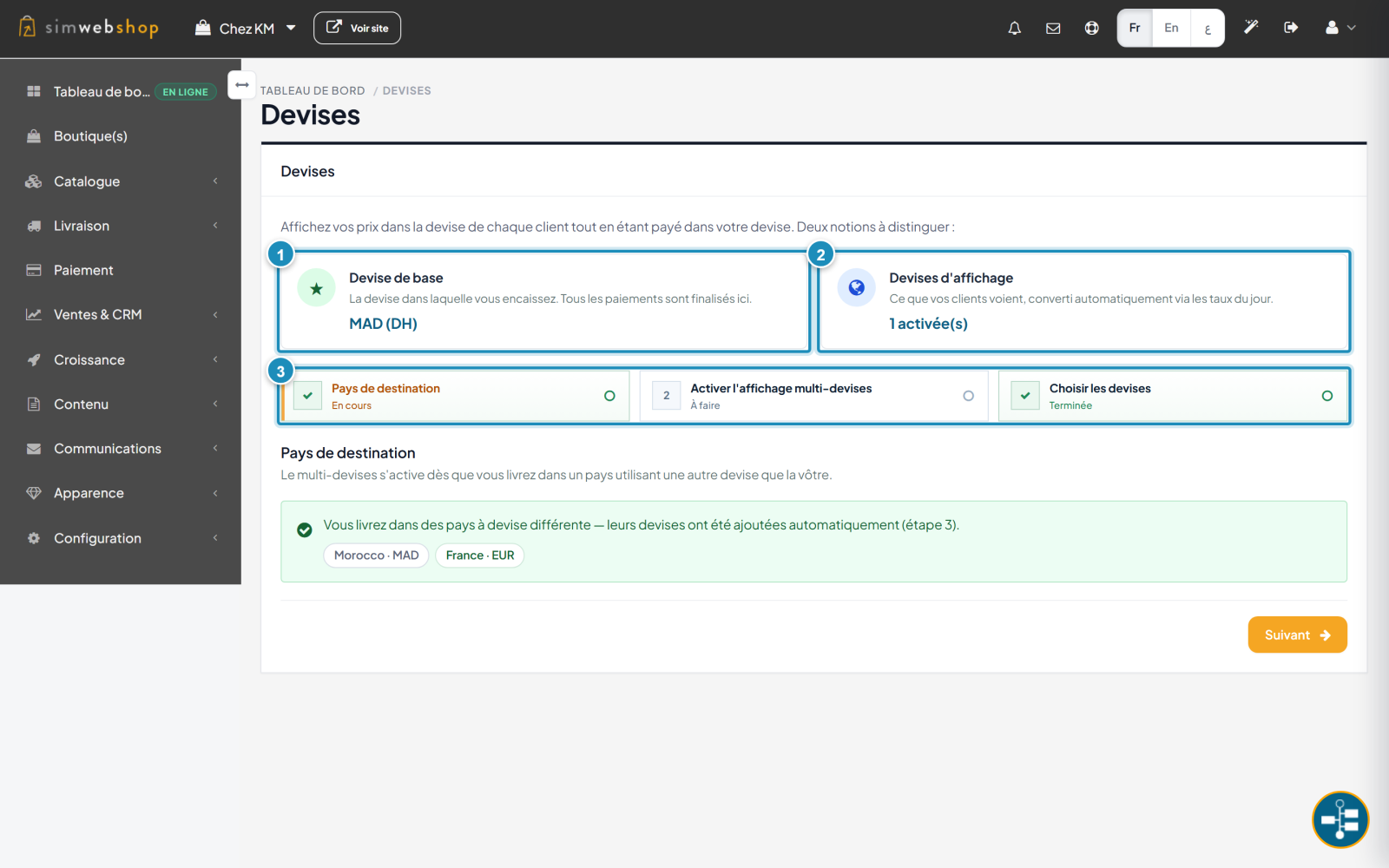
In the menu, open Configuration → Currencies. Two concepts to tell apart: the base currency (marker ①) — the one you get paid in, where all payments are finalized — and the display currencies (marker ②) — what your customers see, converted automatically via daily rates. A 3-step flow (marker ③) guides you: destination countries, activation, currency choice.
Step 2 — Choose and adjust currencies
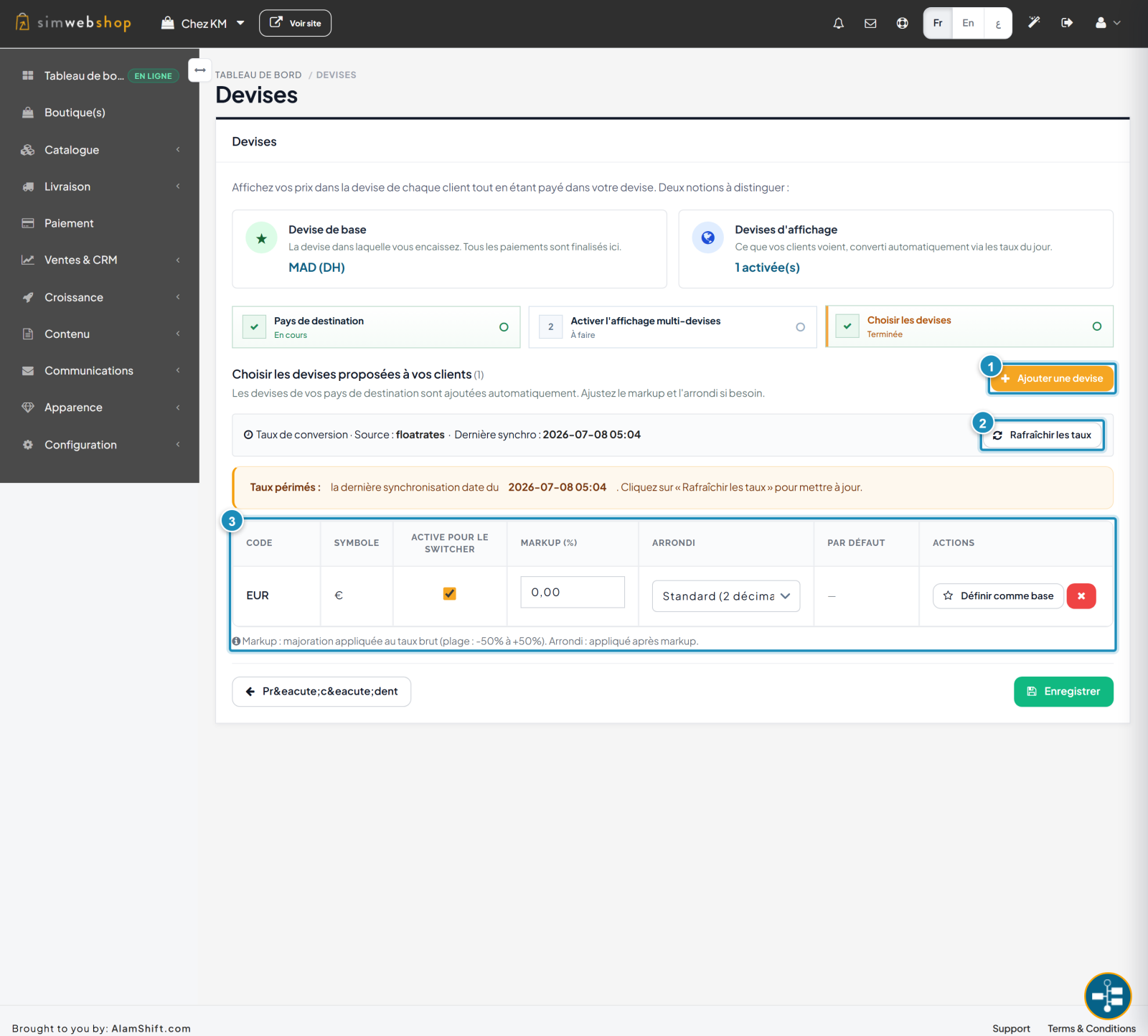
On the "Choose currencies" step, manage the currencies offered to your customers. The "Add a currency" button (marker ①) adds one manually. Rates are automatic: click "Refresh rates" (marker ②) to update them. The table (marker ③) lets you, for each currency, enable it in the switcher, apply a markup (rate surcharge), a rounding, or set it as base. Finish with Save.
Expected result
Your customers see prices in their currency, with a currency switcher on the store, while you keep getting paid in your base currency. Conversion is automatic and up to date.
Expert tips
- Keep rates fresh. Refresh regularly for accurate prices.
- Use the markup. A small surcharge covers exchange fees and fluctuations.
- Mind the rounding. Round prices inspire more trust than a to-the-decimal amount.
- Only enable what you need. Offer the currencies of your served markets, not every world currency.
Common mistakes
| Mistake | Why it's a problem | The fix |
|---|---|---|
| Outdated rates | Displayed prices are wrong. | Click "Refresh rates". |
| Zero markup | You lose money on exchange. | Add a small surcharge. |
| Too many currencies | The switcher gets confusing. | Enable only your markets' currencies. |
| Currency not enabled for the switcher | The customer can't choose it. | Check "Active for the switcher". |
Frequently asked questions
Which currency am I paid in?
Always your base currency. Display currencies only show prices; the payment is collected in your currency.
How does the customer switch currency?
Via a currency switcher on the store. Only currencies "active for the switcher" appear there.
Are exchange rates automatic?
Yes, they come from a daily rate source. Remember to click "Refresh rates" if a banner flags them as outdated.
What are markup and rounding for?
The markup increases the raw rate (to cover your exchange fees). Rounding, applied next, gives clean, readable prices.
Can I change my base currency?
Yes, via the "Set as base" button on the chosen currency. Note: this changes the currency you get paid in.