Before you start
- Your store is online, with at least one product and one category.
A conversion funnel is a dedicated entry path: you choose a theme, a flow and the step where the visitor lands, and you get a trackable public link. Perfect for campaigns: send visitors straight to the right place and follow their journey.
What you'll learn
- Understand what a funnel is.
- Create and publish a funnel.
- Share its public link and compare your funnels.
Step by step
Step 1 — Create a funnel
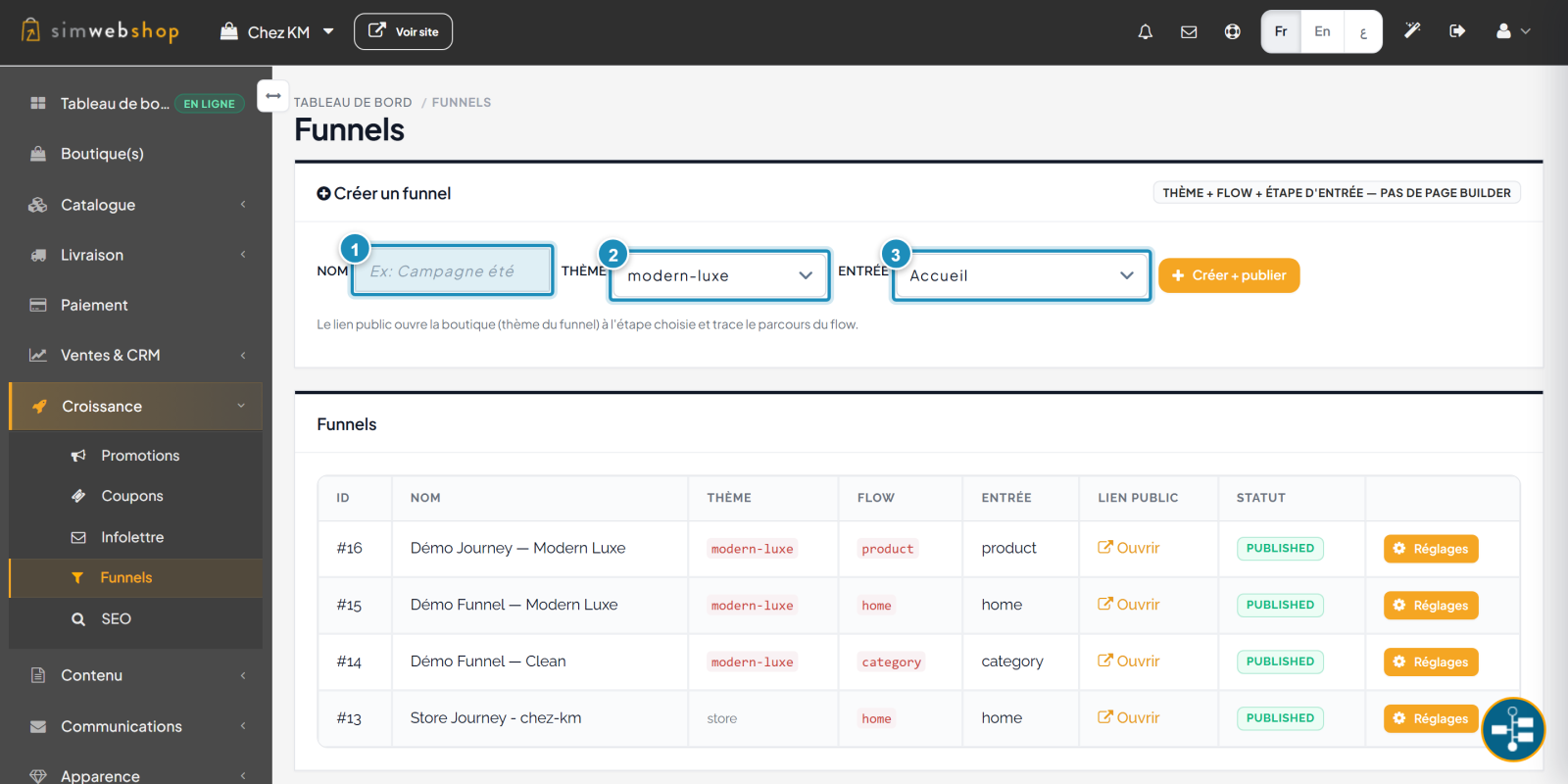
In the menu, open Growth → Funnels. In "Create a funnel", give a name (marker ①) to identify your campaign (e.g. "Summer campaign"), choose the parcours theme (marker ②), then the entry step (marker ③) — where the visitor lands: home, product, category… Click Create + publish.
Step 2 — Share and track your funnels
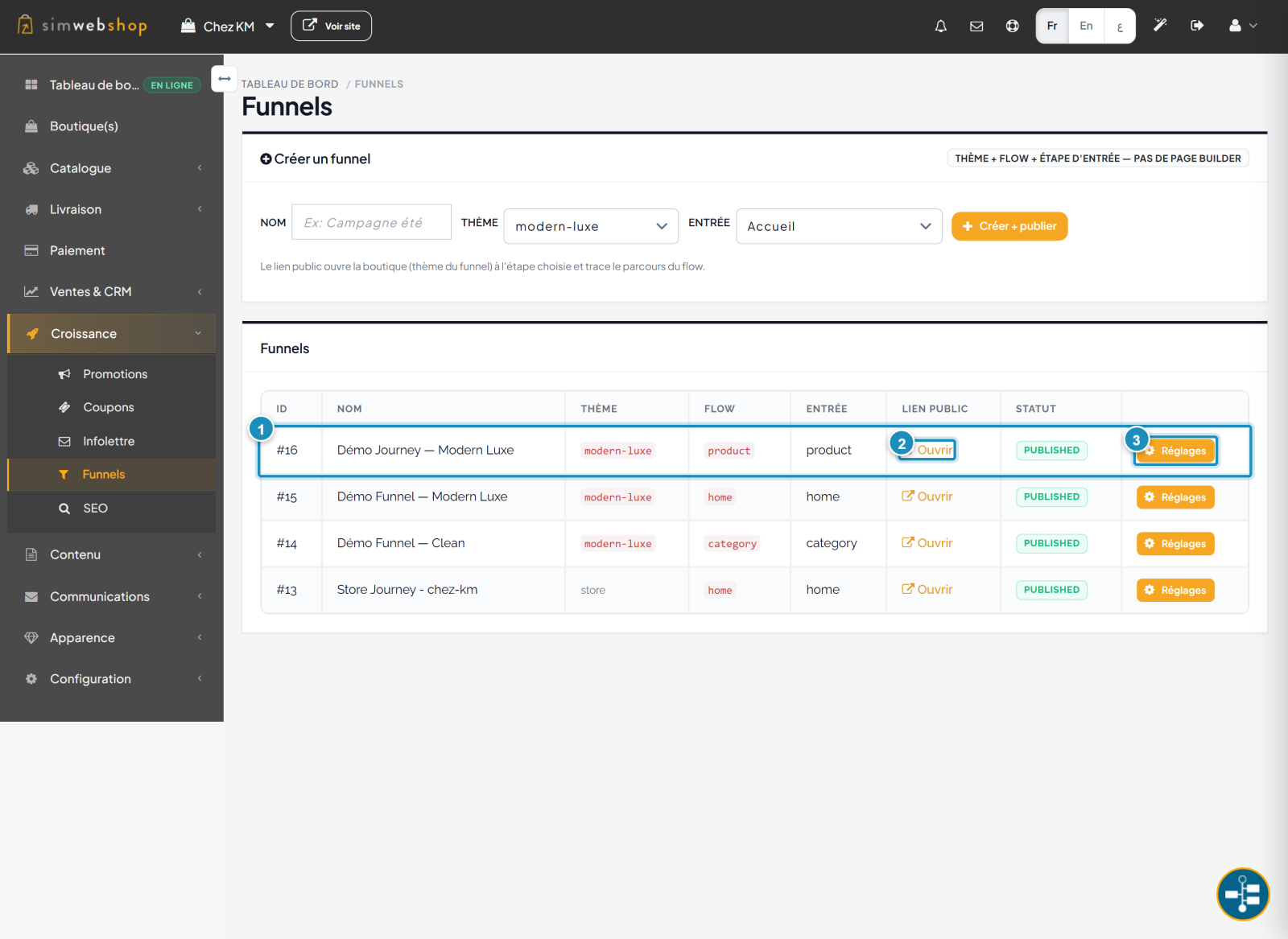
The list summarizes your funnels (marker ①) with their theme, flow and entry step. The public link "Open" (marker ②) is the link to share in your campaigns: it opens the store at the chosen step and traces the journey. The Settings button (marker ③) manages versions and publishing.
Expected result
You have a campaign link ready to share (email, ads, social media) that brings visitors to the right place and traces their journey. By comparing your funnels, you know which ones convert best.
Expert tips
- Target the entry. The closer the entry step matches the campaign, the better the conversion.
- One link per channel. Use a separate funnel per source to compare results.
- Name clearly. An explicit name (channel + offer) makes tracking easy.
- Test designs. Each theme is a journey; compare which performs.
Common mistakes
| Mistake | Why it's a problem | The fix |
|---|---|---|
| Sending everyone to the home page | The visitor has to re-find the product. | Choose a targeted entry (product, category). |
| Vague names | You can't compare campaigns. | Name each funnel by channel and offer. |
| Sharing an unpublished link | The link doesn't work. | Check the PUBLISHED status before sharing. |
| Too many funnels | Confusing tracking. | Keep one funnel per active campaign. |
Frequently asked questions
What exactly is a funnel?
It's an entry path: a theme, a flow and an entry step, accessible via a public link that traces the visitor's journey.
Where do I share the funnel link?
Anywhere you run a campaign: email, ads, social media. Copy the link via "Open" on the funnel's row.
What do "flow" and "entry" mean?
The entry is the page where the visitor lands (home, product, category). The flow is the associated journey type. Together they define the path offered.
Does the funnel theme change my store?
No. The theme applies to the journey opened via the funnel link; your main store is not modified.
Can I compare my funnels?
Yes. Since each funnel traces its journey, use a different link per campaign to compare which converts best and optimize your steps.